
Every sales document, purchase document, and cash receipt or payment is posted to the accounts automatically according to the chart of accounts you set up. No re-keying, and you close the period faster with data that is correct from the source.
Less re-keying, fewer errors, and a faster close every month.
Set up your company's full chart of accounts yourself, then map it to the system's main account codes, with account names in both Thai and English held in the same chart.
Define which accounts each document type debits and credits, and which field on the document the amount comes from, so the system posts every document for you from the first day you go live.
Upload opening balances in bulk with a field for the old system's account codes, so you can reconcile every line against your previous accounting software before going live.
As soon as you close a month, you can lock it. Documents of every type can no longer be edited retroactively until an authorized user unlocks the period, so the figures you sent to your auditor do not change.
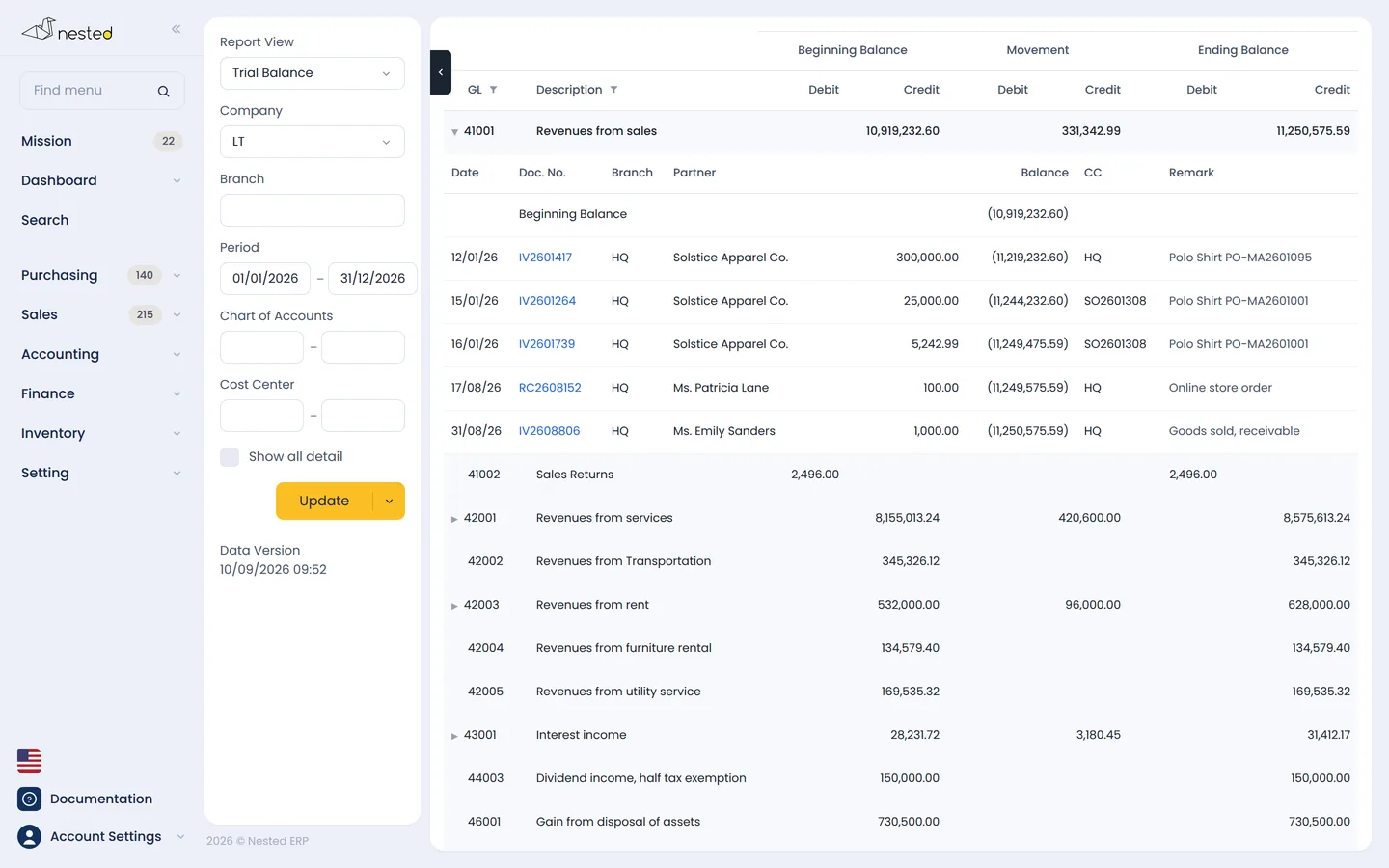
Trial balance, journals, outstanding AR and AP balances, depreciation, and withholding tax deducted — filter by period and Cost Center, then print or export to Excel.
The system prepares the closing entries that transfer revenue and expenses into retained earnings (accumulated profit or loss) automatically — all you have to do is check them and save. All 6 types of special journals are included.
Every document created in the system flows into the accounts on its own. All that is left is the review before you close the books.
Sales documents, purchase documents, tax invoices, and cash receipts and payments create double-entry records immediately.
Review the closing balance of every account in the chart as of the period-end date, and drill down to the individual document.
Reconcile bank balances, outstanding AR and AP, and fixed assets against the depreciation report.
Run the income statement and statement of financial position, then lock the periods you have closed.
Drill from the trial balance down to the individual document, filtered by period and Cost Center.
Book a call with our CPA team to see how well Nested's accounting fits your business. Free of charge.
 Scan to add on LINE