
Control inventory from receipt through issue, see on-hand balances in real time, connect automatically to sales and purchasing, and cut down on stockouts and overstock.
Both warehouse documents themselves and documents from sales and purchasing — every one of them updates balances and posts the accounting automatically.
Receive goods into the warehouse by referencing a goods issue (GO), a goods receipt for goods/services (GR) or a vendor invoice (AP), with the system pulling the details across automatically.
Issue goods out of the warehouse by referencing a purchase requisition (PR), a goods inbound (GI) or a sales credit note (CN), giving you an auditable record of the issue.
Transfer goods between warehouses, specifying source and destination warehouse, location, sender and receiver, updating both warehouses on a single document.
Adjust item cost for expenses incurred later, such as freight or import duty, and the system allocates them across the items and posts the accounting for you.
Documents from purchasing: check goods in against the purchase order (PO), then record them into the warehouse and post the accounting in one step.
Documents from sales: actual stock is relieved on delivery, after the sales order (SO) has already reserved the goods.
From receipt through issue, see real stock at all times — no waiting for an end-of-day close.
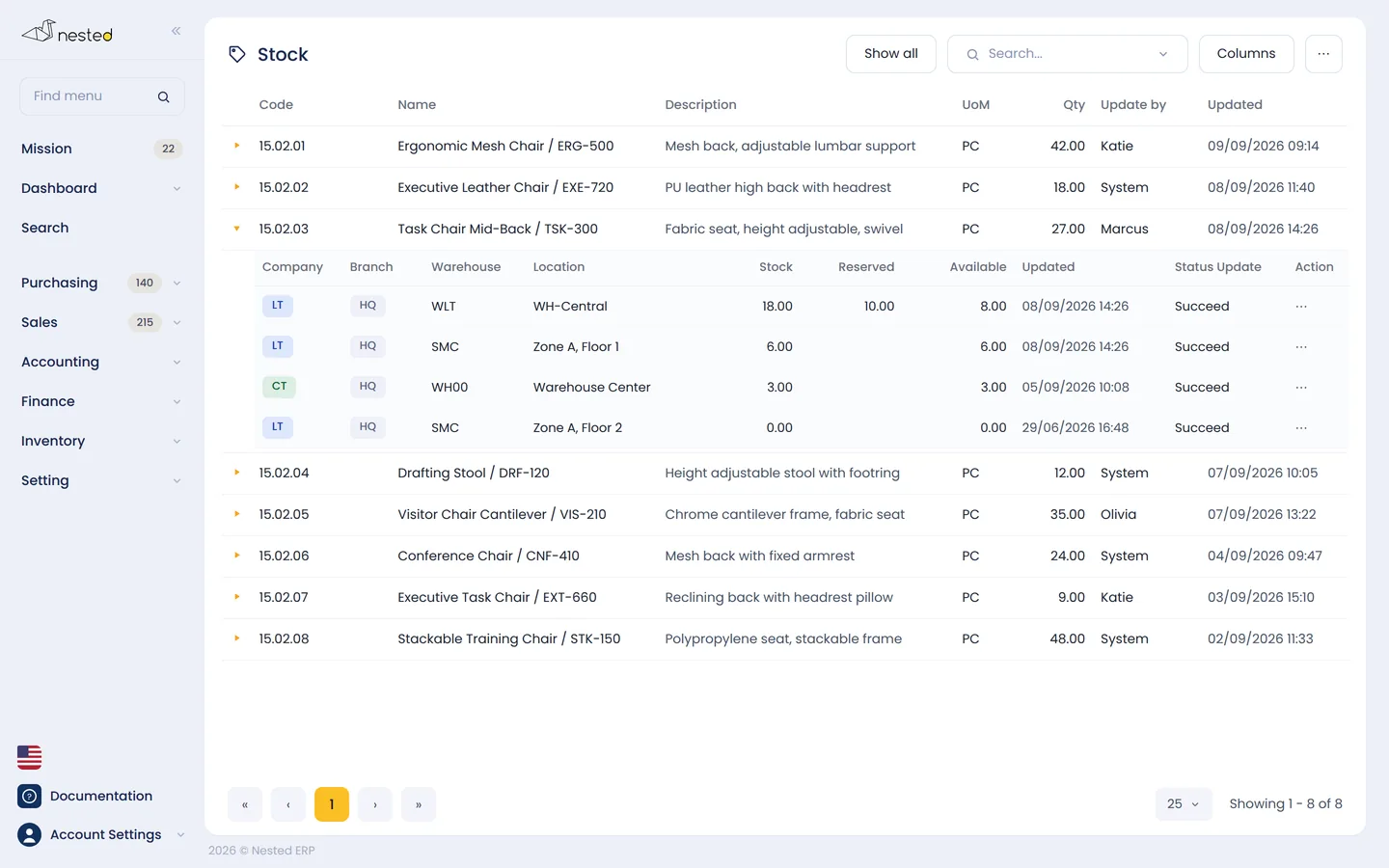
Every time a document affects the warehouse, the system updates balances immediately — on-hand, quantities reserved by sales orders (SO), and quantities actually available to sell, by warehouse.
For a single item with several variants, the system generates the SKU codes automatically and tracks balances by variant, with no need to create duplicate item codes.
Set up multiple levels of unit of measure on a single item — for example 1 pack = 3 pieces — and the system converts units and calculates prices on every document, on both the buying and selling side.
Create a goods transfer (GT) that updates both the source and destination warehouses on a single document, with the transferred cost calculated automatically using FIFO or weighted average.
Every warehouse document — goods inbound (GI), goods issue (GO) and cost adjustment (GC) — creates its general ledger (GL) entries automatically, so stock balances and the trial balance always agree.
Click through to see which documents make up today's balance, on what dates, and who recorded them — and if a balance looks wrong, you can rerun the stock calculation back in time yourself.
Every document references the one before it and pulls the details across, so there is no rekeying and no manual reconciliation.
Reference the purchase order (PO) to check goods in, and the system records them into the warehouse and posts the accounting immediately.
Specify locations down to 5 levels — building, floor, zone, row and shelf.
Issue to production, transfer between branches, or adjust cost with a GC document.
Every warehouse document creates its own GL entries, so stock value matches the trial balance.
See on-hand, reserved and available-to-sell quantities by warehouse on one screen.
Talk to our CPA team to see how well Nested's warehouse module fits your business. Free of charge.
 Scan to add on LINE