
Set roles by job position, control who can see documents for which company, branch and department, separate accounting duties from document handling, and close the account of an employee who leaves immediately, with all historical data still referenceable.
Be confident that each person can access only the data and menus their job requires.
Pick a role by job position from the standard set, with a capability reference table you can check against — no need to build permissions from scratch, and you can fine-tune them with the advanced settings function.
Define which company, branch and department documents each person can see, so employees only see the work they are responsible for — reducing both errors and the risk of data leaks.
Purchase requisitions (PR), purchase orders (PO), goods receipts (GR), vendor invoices (AP) and credit line usage records (CV) cannot be edited once approved until they are unapproved, so every change always goes through the approval chain.
Only users with an accounting role can edit the accounting entries on vendor invoices, goods receipts and payment vouchers. Purchasing can issue documents but cannot change the accounting figures.
Lock an account temporarily when access needs to be suspended, or deactivate it permanently when an employee leaves, while existing documents still reference the name of whoever recorded them, and send password reset emails from the system.
Use the system in Thai, English, Chinese or Japanese, set a default language per person, and print document forms in a language your overseas customers or executives can read.
Each person sees only their own work, and no one can edit approved documents at will.
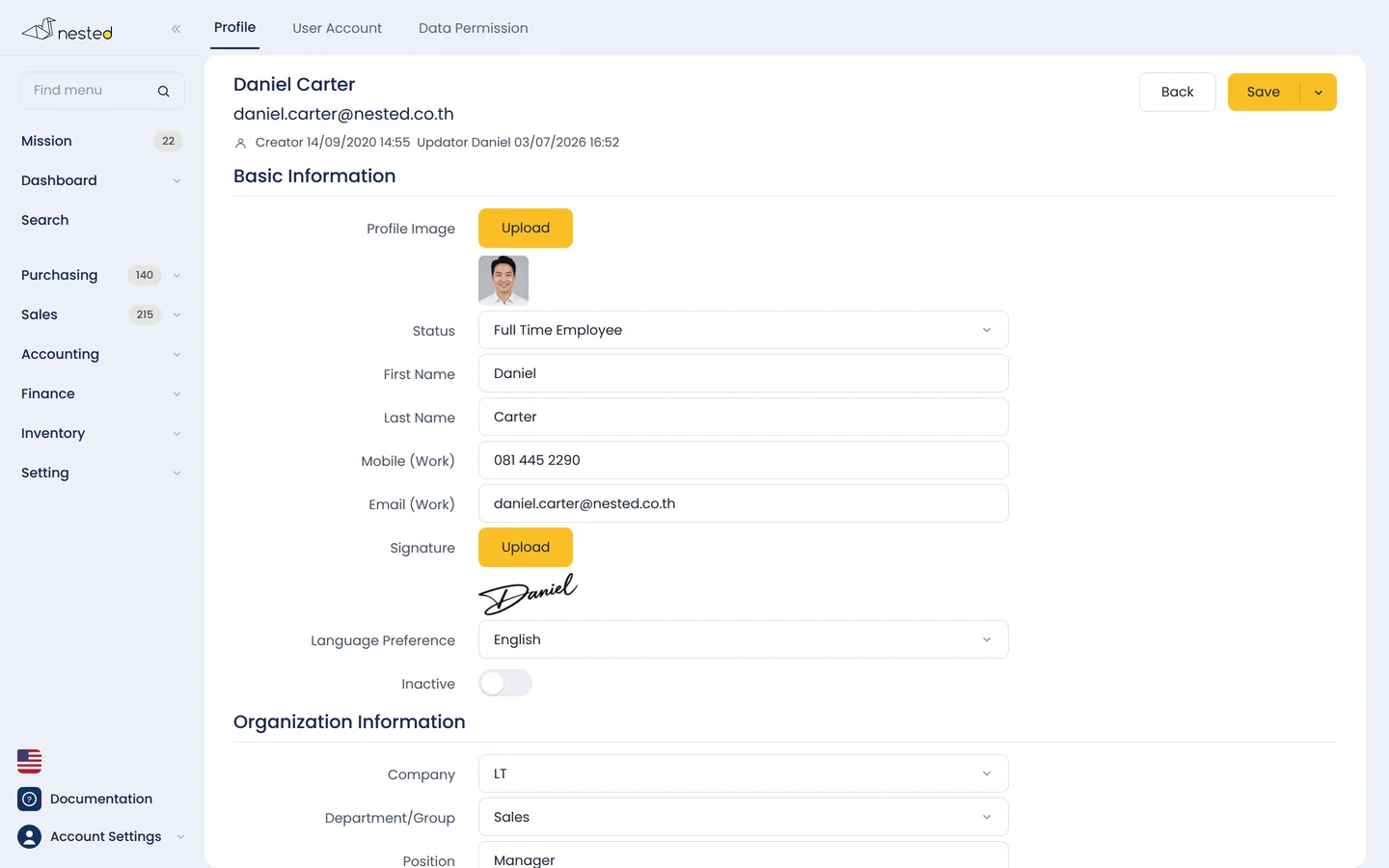
Specify company, department, job position, manager and signature for each person.
Tied to the work email, with a forced password change on first sign-in.
Pick a role by position, then specify the companies, branches and departments they can see.
Shut off access immediately, with existing documents still referencing the name in full.
Keep each person's photo, job position, department, manager, default language and signature in one place.
Talk to our CPA team to see how well Nested's permission management fits your business. Free of charge.
 Scan to add on LINE