
From requisition to purchase order (PO), goods receipt, vendor invoice and payment to the supplier, everything is linked end to end. Reference the source document to create the next one without rekeying, and tie every cost line to the job or project it belongs to.
From requisition to paying the vendor, the system covers every step with the right document, each referencing the last with no rekeying.
An internal document in which departments tell purchasing what goods or services they need and in what quantity, for approval before an actual order is placed.
A document confirming the order with the vendor, specifying credit terms, delivery date, delivery location and payment installments.
Confirm that the goods or services received match the quantity and value on the purchase order, and let accounting verify the vendor's tax invoice number.
Record a vendor invoice from a goods receipt, or record expenses that have no purchase order, such as water, electricity and payroll.
Reduce the payable when the vendor invoice was overstated, goods were damaged or the delivery was short. You can choose to receive a refund into your bank account.
A document for paying vendors, referencing a goods receipt, vendor invoice or credit note, with withholding tax and retention applied.
Pay in advance before receiving goods or services, according to the deposit installment set on the purchase order.
From requisition to paying the supplier, with no screen switching and no rekeying.
Departments can raise their own purchase requests in the system. The document lands in the approval queue of whoever has authority for that department and branch, and once approved it cannot be edited until the approval is withdrawn.
Create a purchase requisition directly from a sales order (SO). Costs flow into the same Cost Center as that job, and gross margin is available in reports immediately.
Tick the line as a fixed asset, then specify the holder, category, useful life, salvage value and any freight or installation costs included in the asset cost. Low-value items can be set not to depreciate.
Record the quantity actually received separately from the quantity ordered, with stock and accounting entries posted automatically. Documents that are still short can be found using the outstanding documents filter.
Set payment installments on the PO and mark which installment is the deposit. The system requires the advance payment (PA) before goods are received, in order, and offsets it when the vendor invoice is recorded.
The due date is calculated from the goods receipt date + the vendor's credit terms + the company's payment cycle, with withholding tax documents issued and outstanding retention payable under control.
Every step is linked automatically. Approve once and the system handles the rest.
The requesting department sends it straight into the approval route
Once approved, convert it into a purchase order for the vendor
Received into the warehouse with accounting entries posted automatically
Reference the vendor invoice to pay on schedule, with the withholding tax certificate issued at the same time.
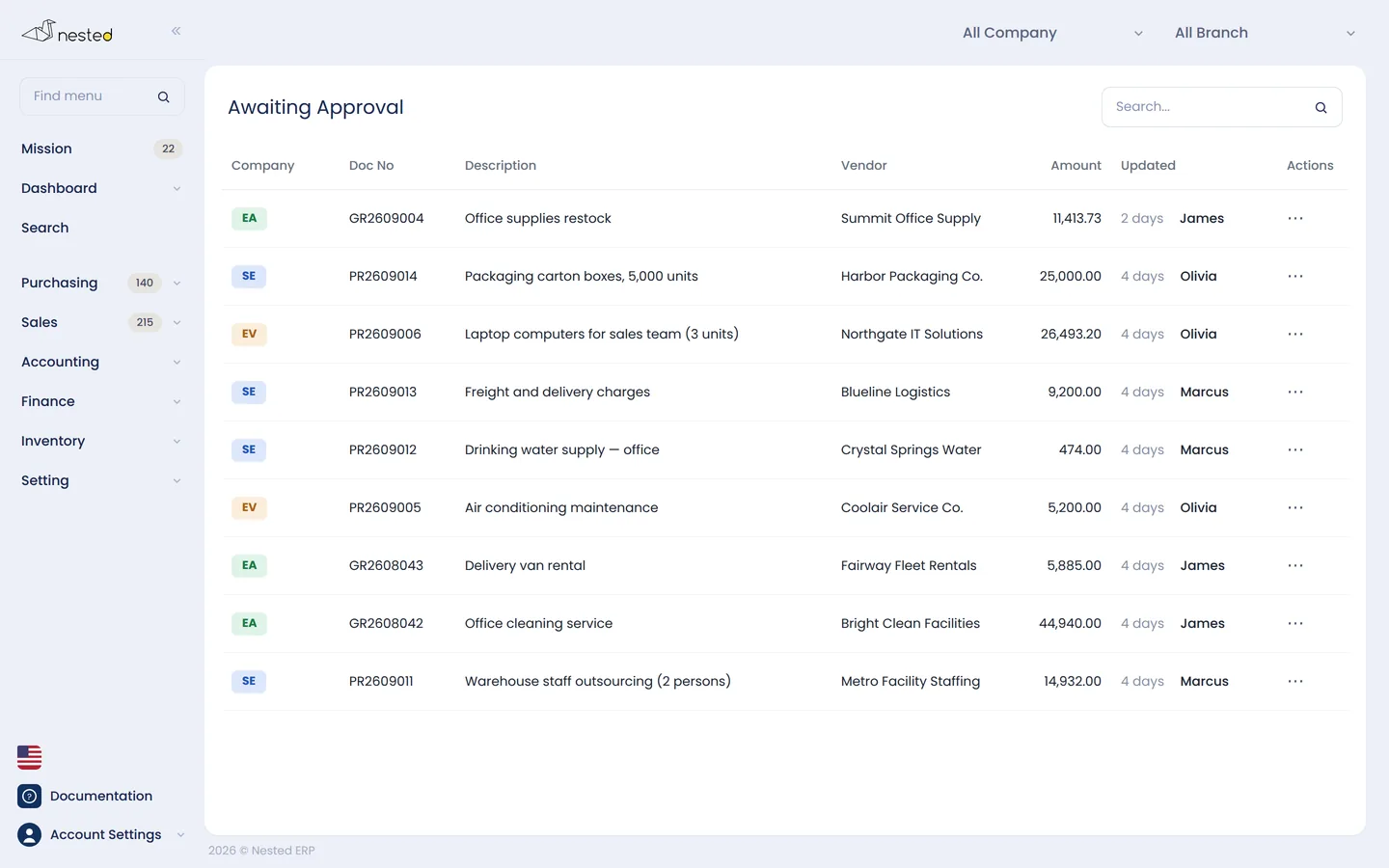
Know immediately which documents are awaiting review and which need your approval, so work keeps moving.
Talk to our CPA team to see how well Nested's purchasing system fits your business. Free of charge.
 Scan to add on LINE